How to Connect Instagram to Your Facebook Page
Connecting your Instagram account to your Facebook Page lets you manage both from one place: messages in one inbox, cross-posting, insights and ads.
- Admin access to the Facebook Page (switch into the Page first)
- Your Instagram username/email and password
- Access to the email or phone of the Instagram account (for the login code)
1Open Linked accounts
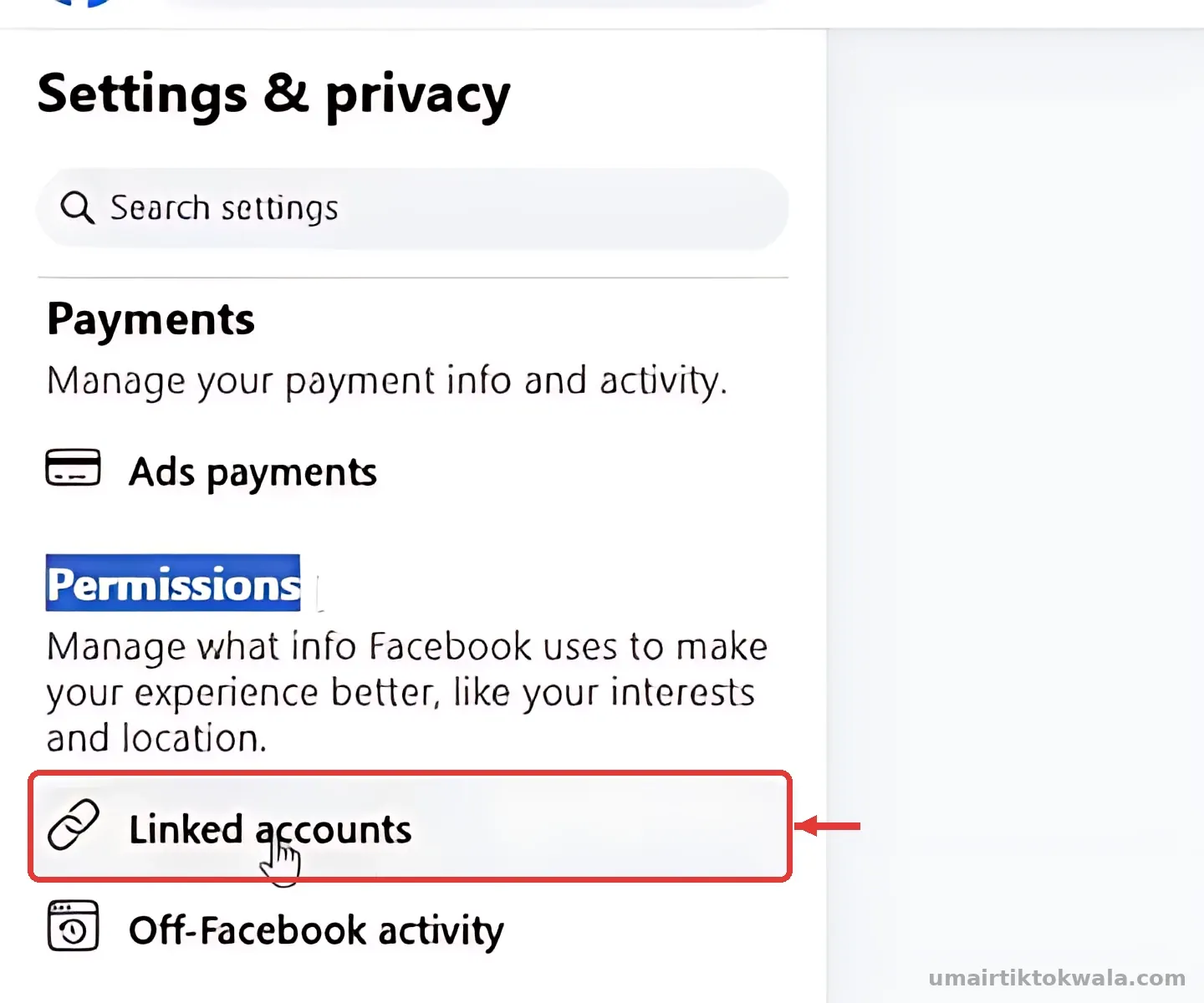
While using Facebook as your Page, open Settings & privacy → Settings. Under Permissions, tap Linked accounts, then choose Instagram.
2Tap Connect account
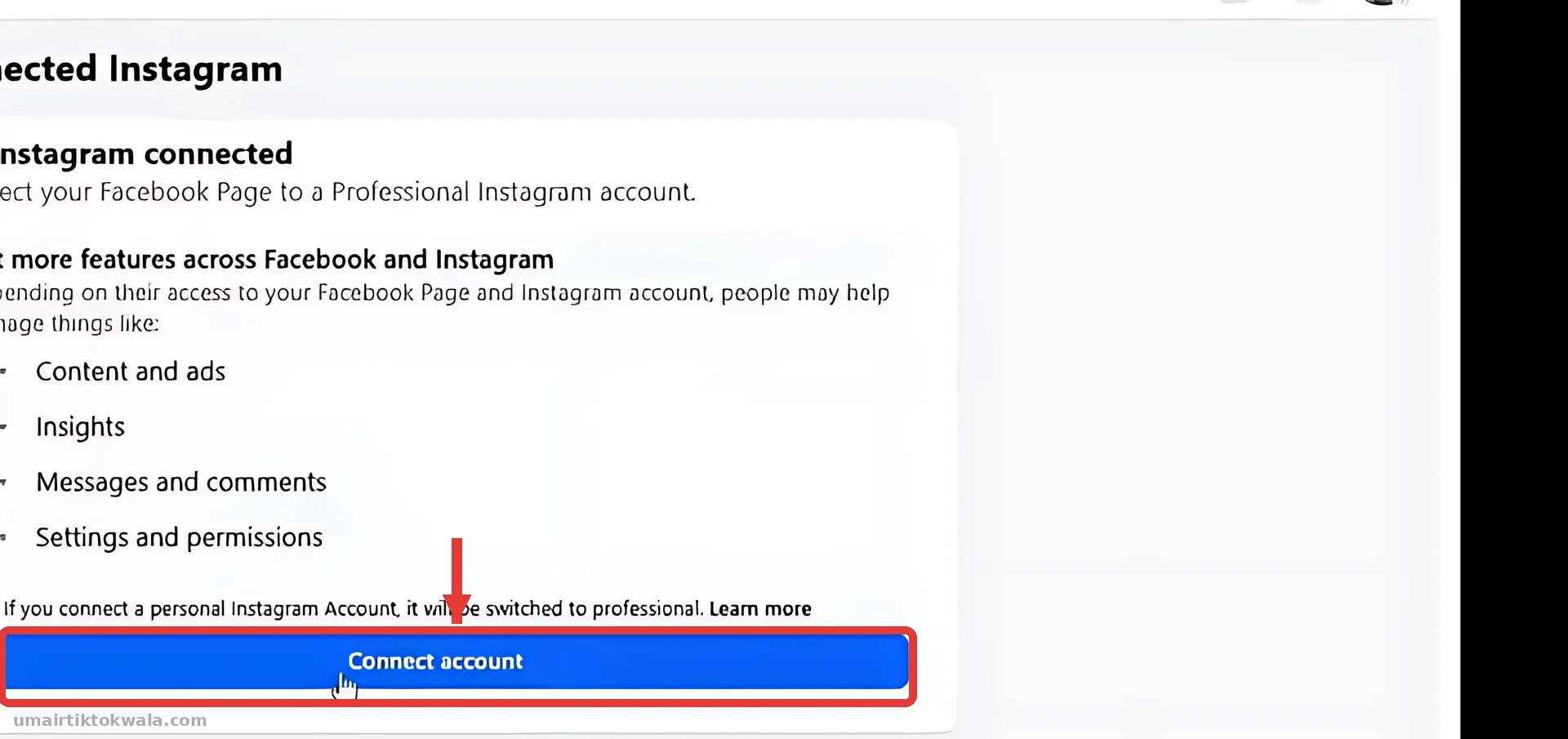
You will see No Instagram connected and what you get. Tap Connect account.
3Confirm the connection
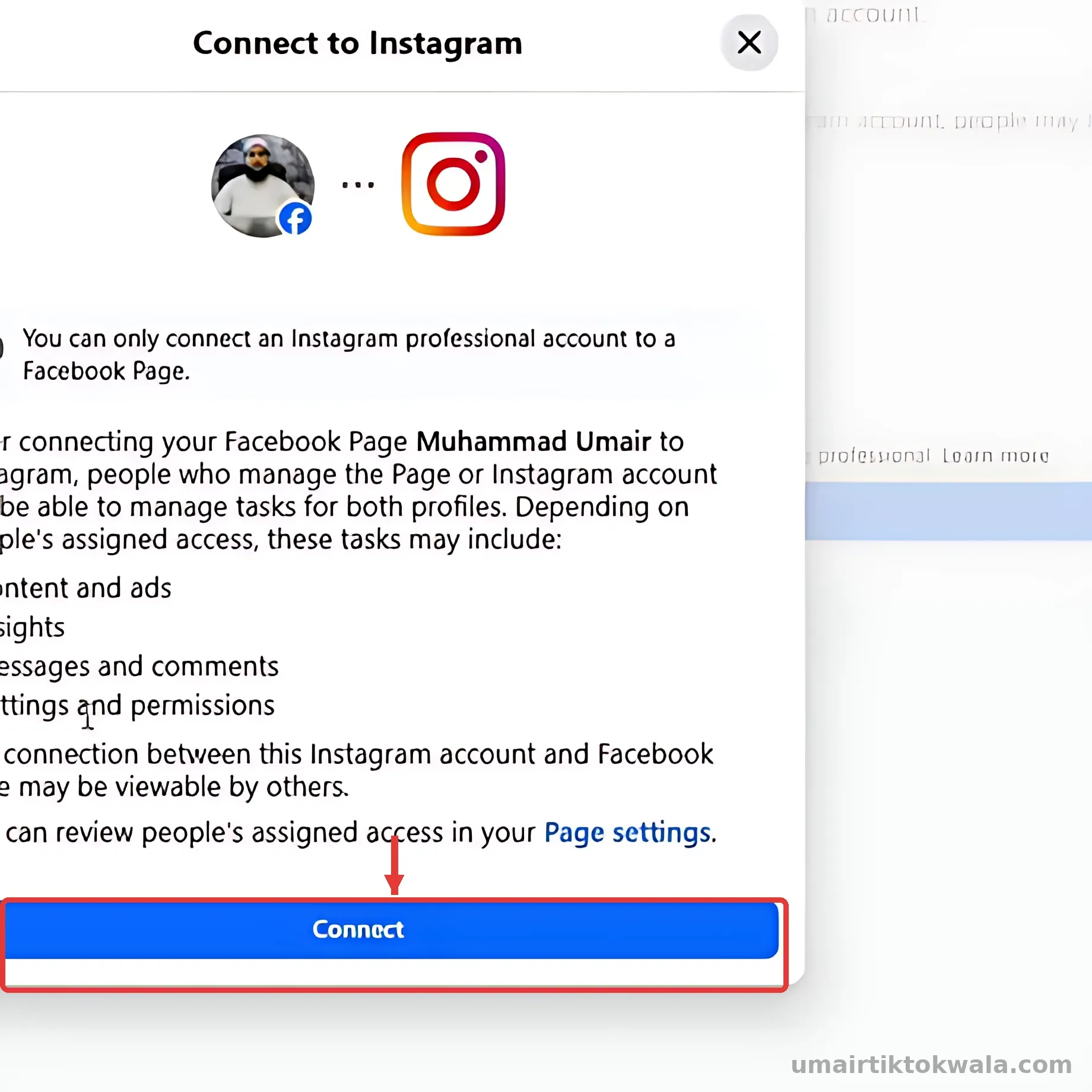
Read what people with access to the Page will be able to do, then tap Connect.
4Choose message settings
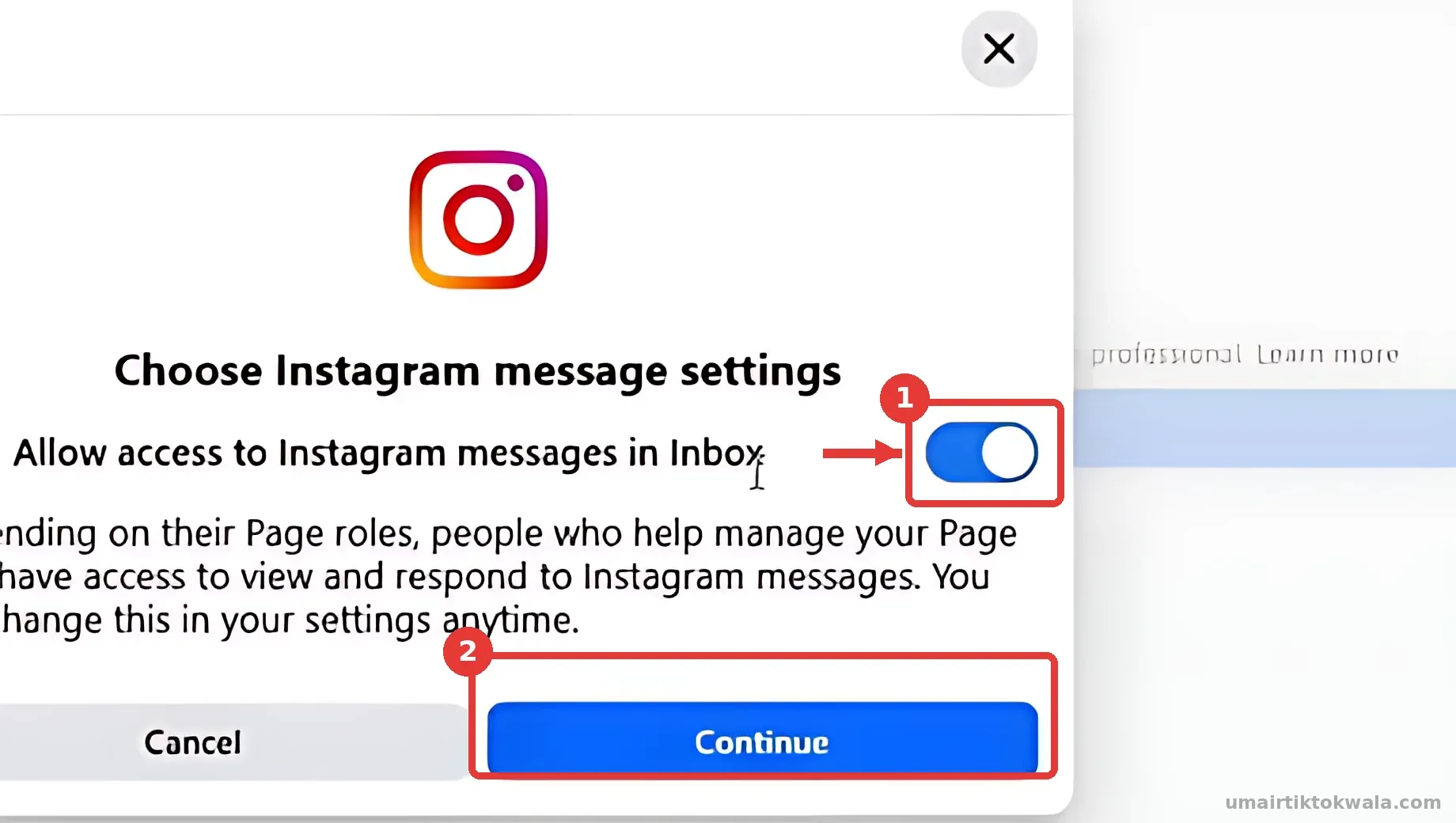
1. Keep Allow access to Instagram messages in Inbox ON so you can reply to Instagram messages from Facebook. 2. Tap Continue.
5Log in to Instagram
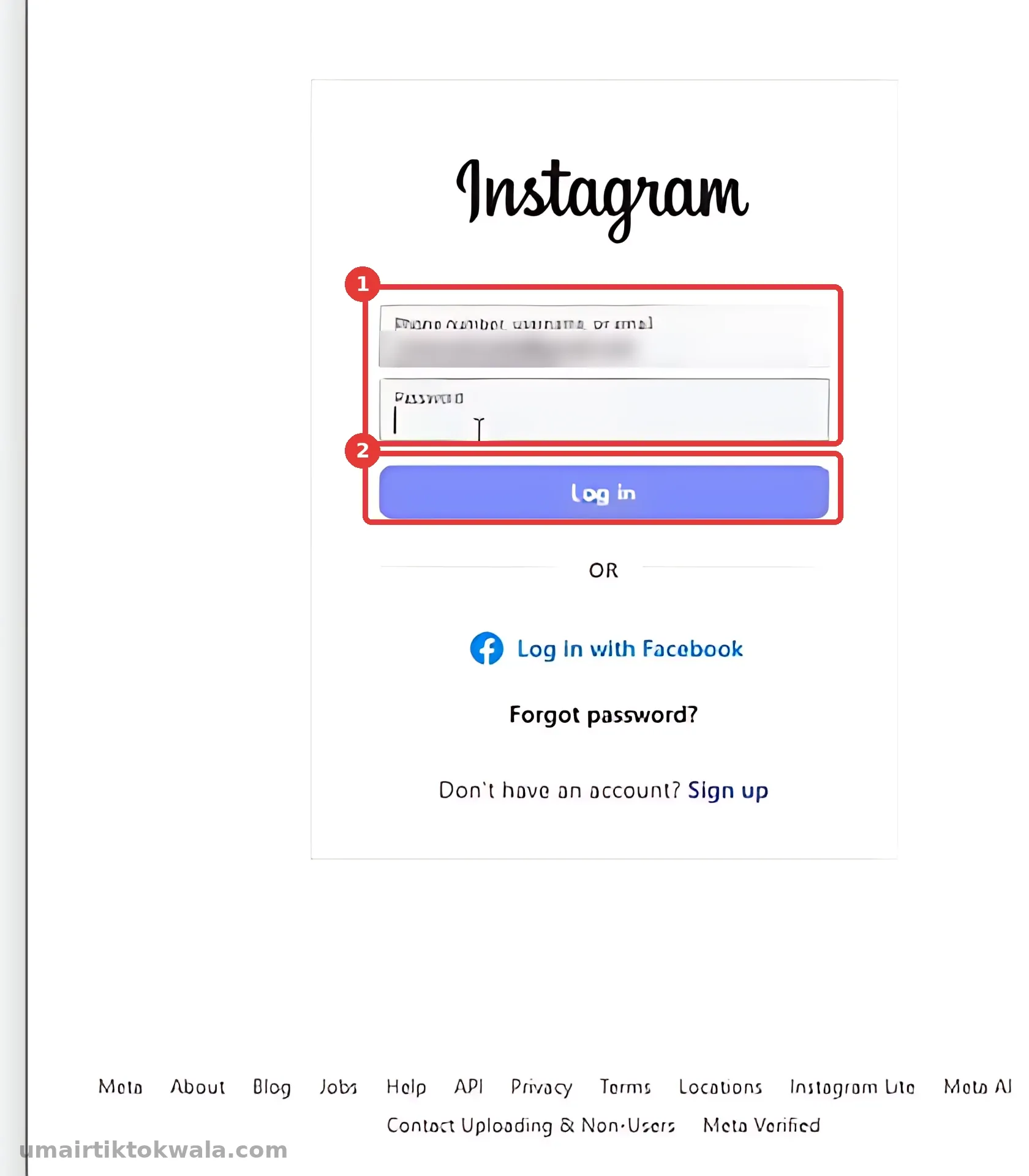
An Instagram window opens. 1. Enter your Instagram username/email and password. 2. Tap Log in. If Instagram sends a code to your email, enter it.
6Choose Creator
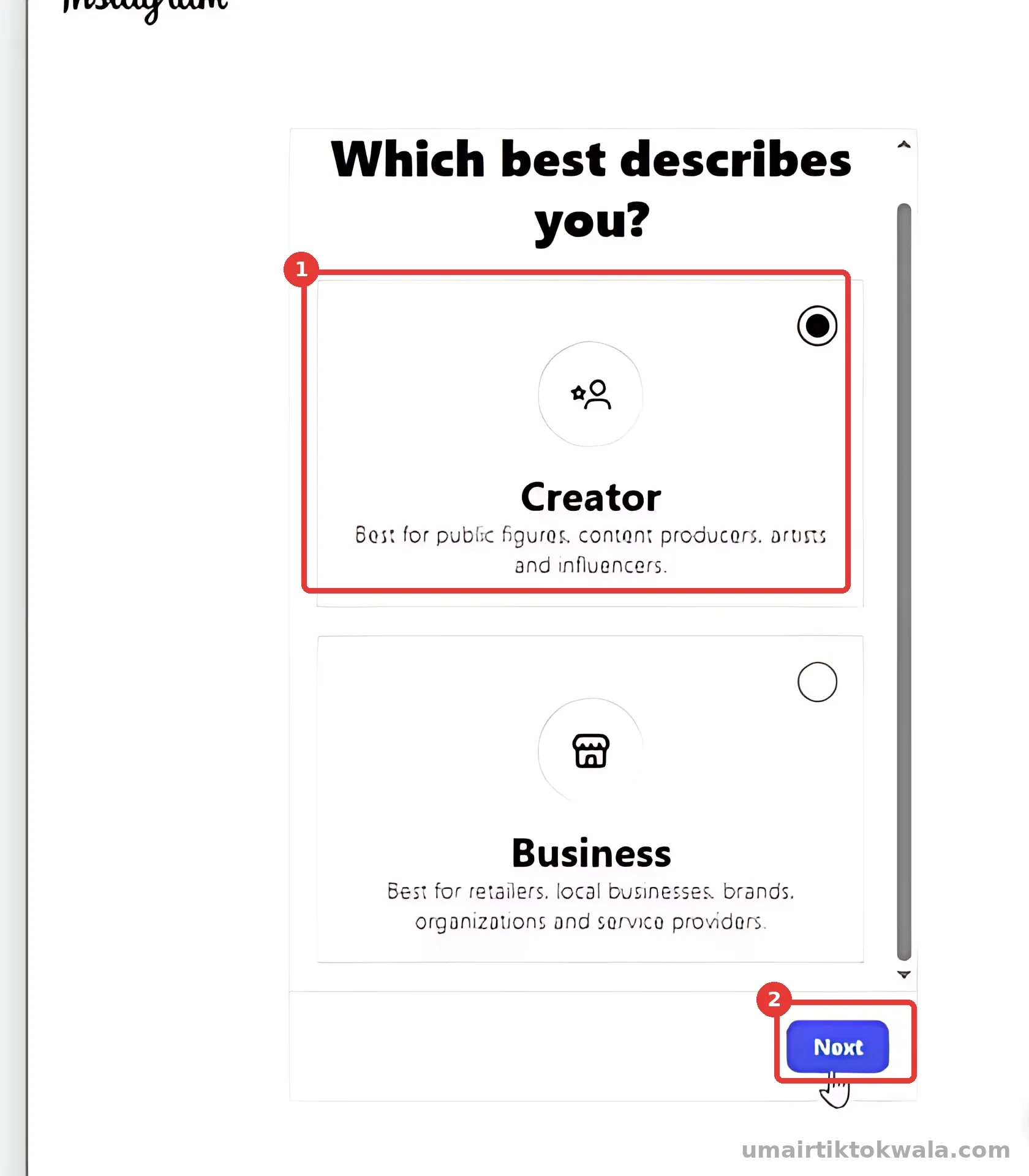
1. Select Creator (best for content creators). 2. Tap Next, choose a category (for example Personal blog) and tap Done.
7Switch to a professional account
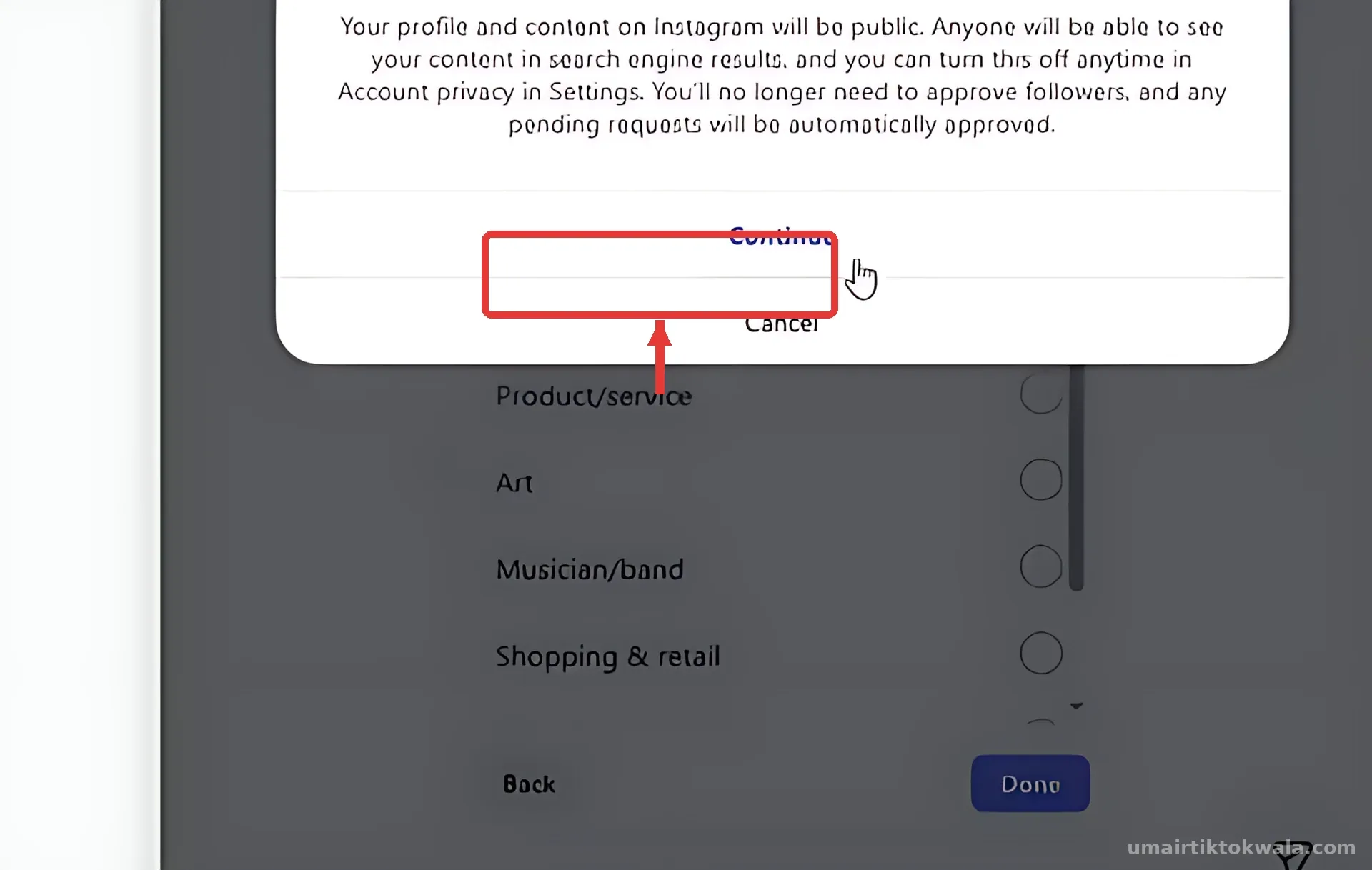
Instagram asks to switch to a professional account. Tap Continue.
8Add to your business portfolio
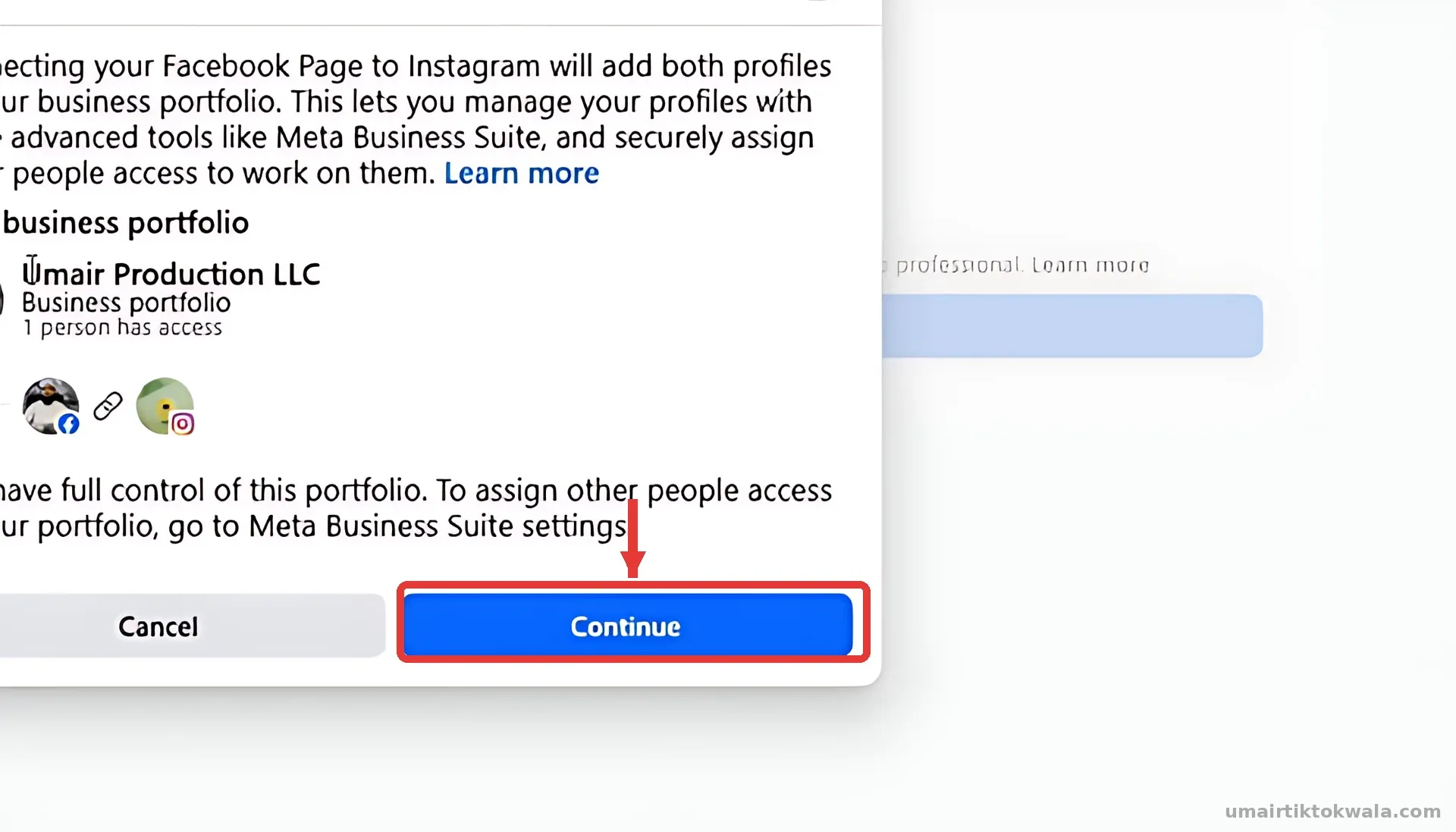
Facebook may ask to add both profiles to your business portfolio (Business Manager). Tap Continue.
9Instagram is connected
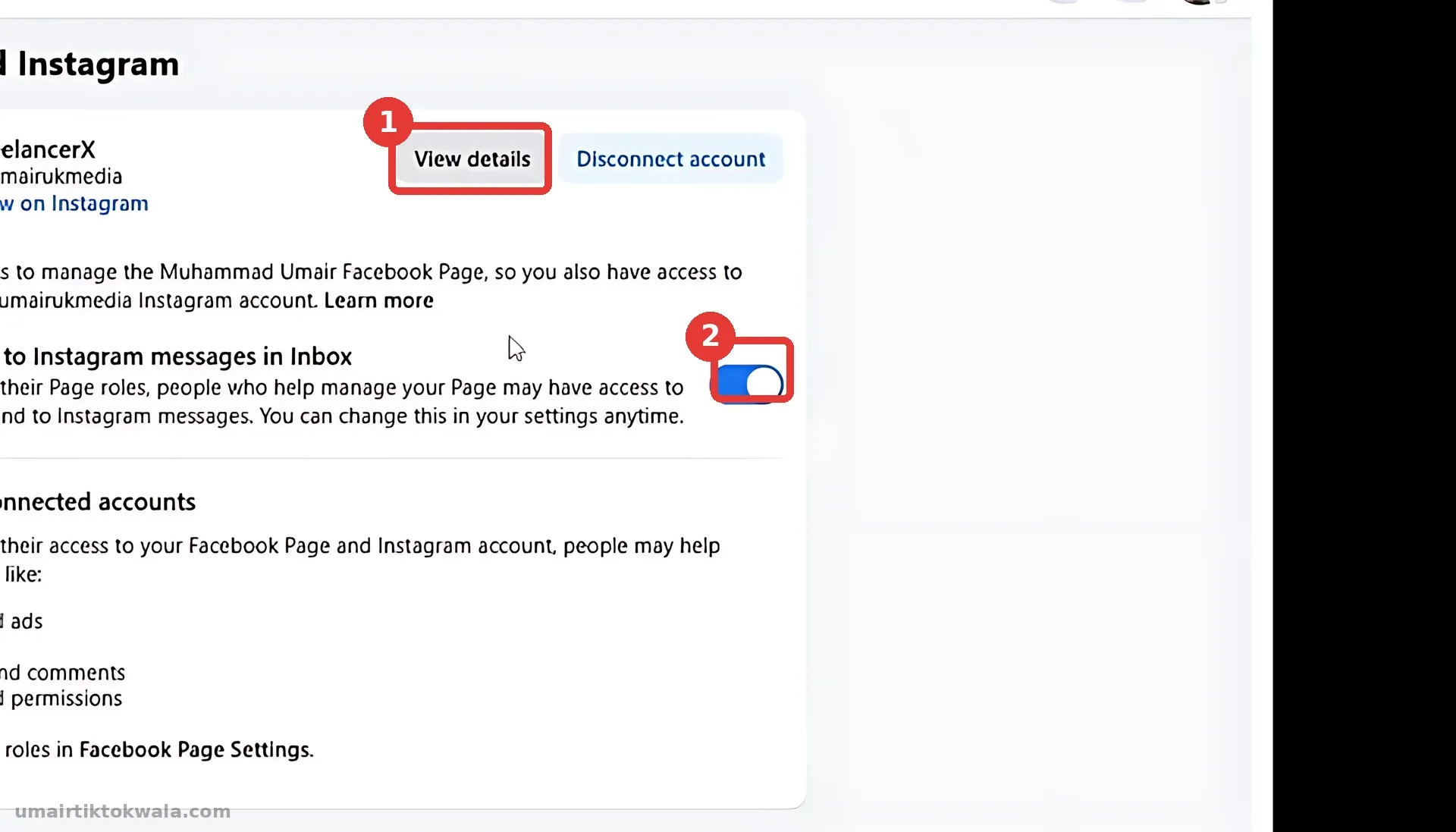
Back on Linked accounts you now see your Instagram under Connected Instagram (1: View details / Disconnect account). Instagram messages in Inbox is ON (2). Done!
- Trying to connect while using your personal profile instead of the Page
- Instagram password changed recently — log in once on the Instagram app first
- Connecting someone else's Instagram — only connect accounts you own