How to Upload a TikTok Video the Right Way
How you upload matters: a good cover, a clear caption with the right hashtags, the AI label when needed and high-quality upload settings all help your video perform better and keep your account safe.
- Your finished video (vertical 9:16) saved on your phone
- A short caption idea
- 3–5 hashtags related to your topic
1Select your video and edit

Tap +, then Upload and pick your video. On the edit screen you can 1. add a sound, 2. add text (Aa). 3. Tap Next.
2Open the post screen
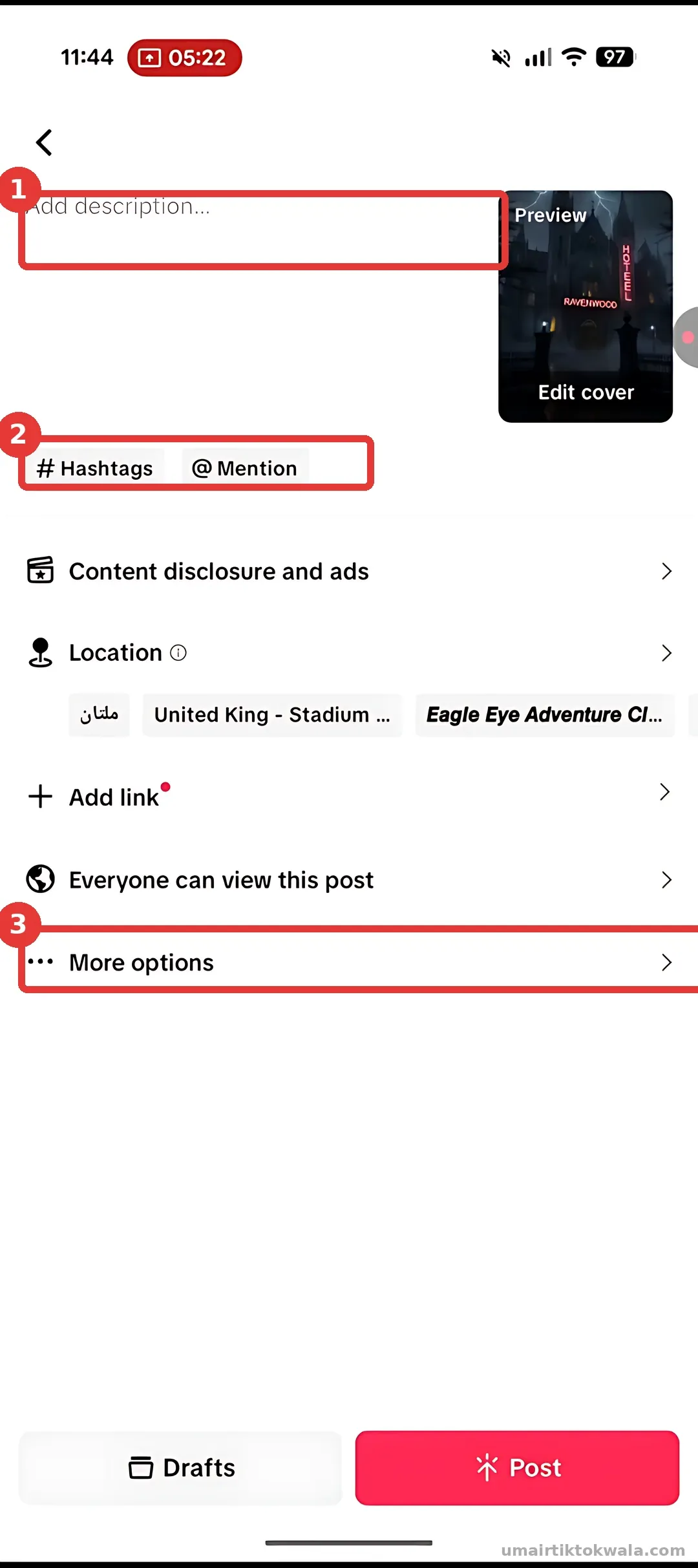
1. Write your caption in Add description. 2. Use #Hashtags to add topic tags. 3. More options has important settings (next steps).
3Choose a strong cover

Tap Edit cover. 1. Slide to the best frame and add a short, bold title. 2. Tap Save.
4Write a caption with hashtags

Write one short line about the video, then add 3–5 related hashtags (e.g. #Horror #horrortok #Creepy). Tap a suggested hashtag to see how many posts it has.
5Set More options
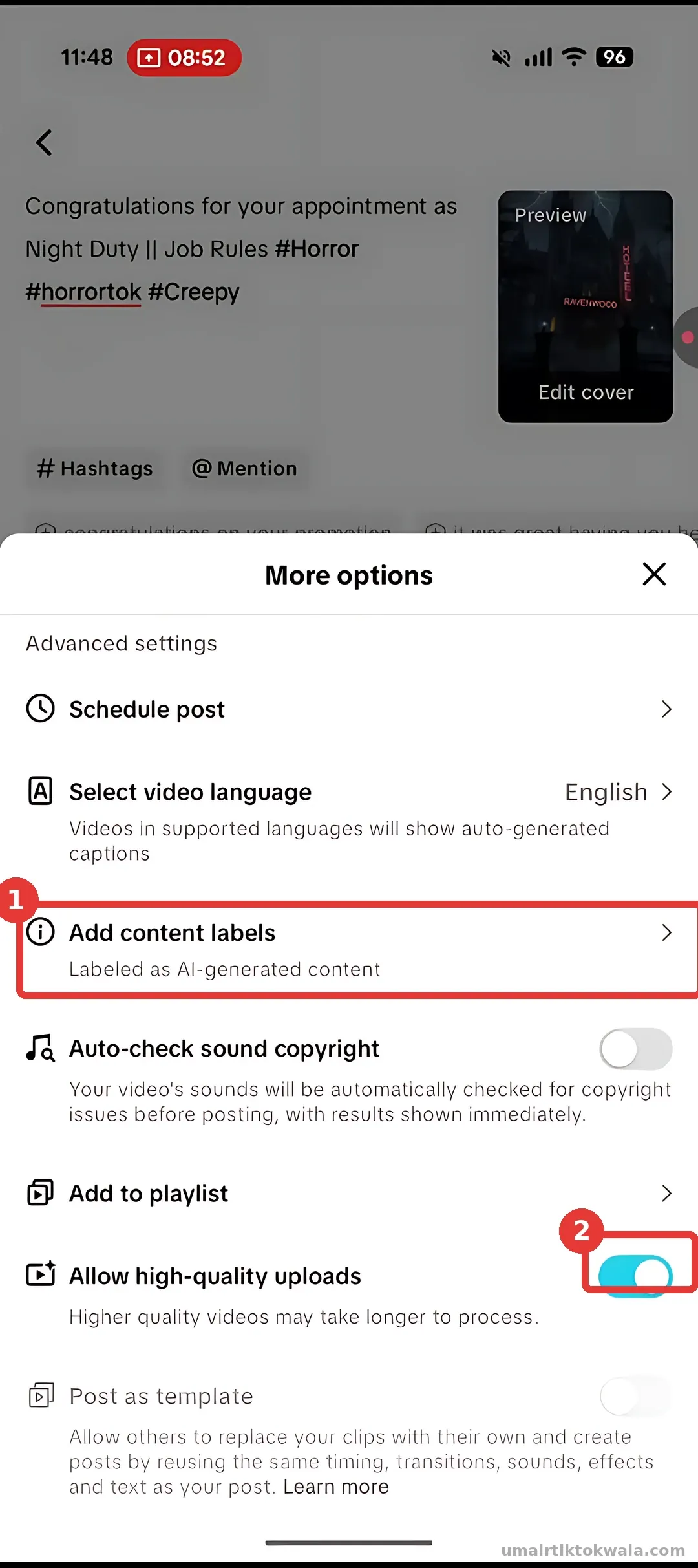
In More options: 1. If your video is made with AI, open Add content labels and turn on AI-generated content. 2. Turn ON Allow high-quality uploads.
6Add to a playlist (optional)

Use Add to playlist to group series videos (e.g. "Horror stories"). Viewers then watch the next part easily — great for watch time.
7Post
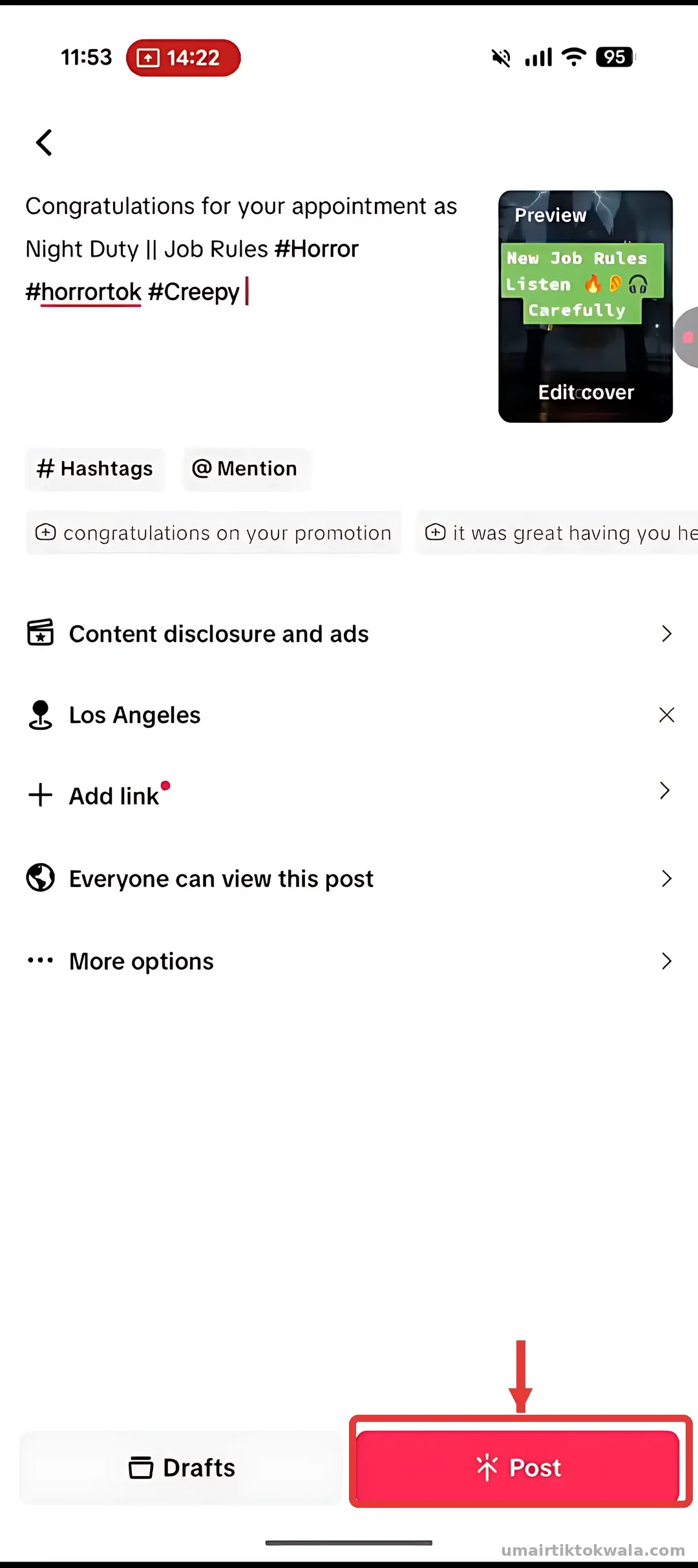
Check everything once more and tap Post. Keep the app open until the upload finishes.
- Uploading low-quality (compressed) videos — keep high-quality uploads ON
- Too many unrelated hashtags
- Not using the AI label on AI videos
- Posting other people's videos without changes