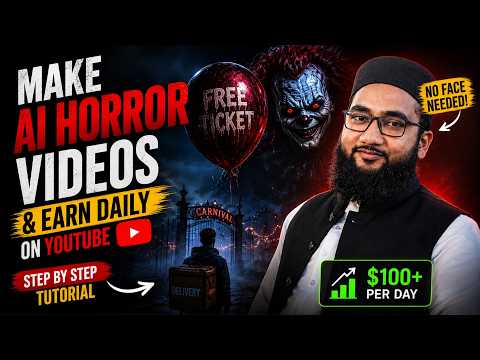
The lesson is taught in Urdu. The full course has 109 free lessons on Facebook, TikTok and AI video.
Lesson chapters
- Intro — foreign audiences bring better revenue on TikTok and Facebook
- Goal: one script for voice-over, image and video generation together
- Stories need imagination — let ChatGPT help you think like a writer
- Learn AI and use it in your work — life gets easier
- Preview of the finished horror video
- What the story is about (delivery boy, a house he must not stop at)
- Upload 4 monster characters to ChatGPT and ask how to use them
- ChatGPT: build your own universe, not just monsters, and name each one
- Many people already make this — a unique series idea works better
- Tell ChatGPT "I know nothing, guide me" — it explains more
- Ask for story ideas and which characters each one uses
- Series idea "Four Doors" — 8 story ideas
- Pick the delivery boy story; ask for story line, sound and voice-over
- Ask for everything in English for a foreign audience
- Ask for image, video, sound and voice-over prompts for 8 short scenes
- ChatGPT gives scene 1 to 8 with all prompts
- Google Flow → new project; make the scene 1 image first
- Images and videos stay alike — character and clothes the same
- Paste video prompt, sound prompt and voice-over line together
- Scene 2 image with scene 1 as reference — same character and clothes
- Scene 3 — check which character's name comes in the scene
- Scene 4 — the clown arrives; add that character as reference
- Upload the character images — needed as reference
- With vs without reference image — compare the result
Questions this lesson answers
How do I make my horror series unique?
Give ChatGPT images of your own original characters and ask it to build a universe or series around them, not just random monsters. Many people already post the same monsters, so a unique series idea works better.
I can't think of a story - how do I get ideas?
Tell ChatGPT you know nothing and need guidance, then ask for story ideas and which characters each story uses. It will explain in more detail and give several series ideas.
How do I get prompts for every scene?
After picking a story, ask ChatGPT for an English story line plus image, video, sound and voice-over prompts scene by scene - for example 8 short scenes.
How do I keep the characters the same in every scene?
In Google Flow, make the scene 1 image first, then use the previous image and the character images as reference for each next scene. Without a reference the characters and clothes change.
What do I paste into Flow to make each video?
Paste the scene's video prompt, sound prompt and voice-over line together, with the scene image as reference.
Google Flow shows a policy violation - what do I do?
Ask ChatGPT to rewrite that scene as a short policy-safe prompt, then generate again.
How do I finish the horror video?
Join the clips, add effects such as shake and subtitles, and end with a cliffhanger or loop so viewers wait for the next part of the series.
This lesson is part of the Free Earning Course — 109 video lessons in Urdu on Facebook, TikTok, niches and AI video. No fee, no card.
Start free → See all lessonsMore free AI Video lessons
- How to Make AI Bird Nest Documentary Videos30 min · Intermediate
- How to Make Long AI Story Videos in Urdu — Part 1: Story and Characters58 min · Advanced
- How to Make Long AI Story Videos in Urdu — Part 2: Fixing Scenes and Final Edit36 min · Advanced
- Long AI Story Videos — Part 3: Consistent Character Voices13 min · Advanced
- How to Make Long AI English Stories with Consistent Characters61 min · Advanced
- How to Make Viral AI Fruit Character Videos (Step by Step)51 min · Intermediate
Umair TikTok Wala is an independent education provider and is not affiliated with Meta, TikTok, Google or OpenAI. Platform rules change; always check the official terms.