The lesson is taught in Urdu. The full course has 109 free lessons on Facebook, TikTok and AI video.
What you will learn
- Ask ChatGPT for new kids' topics that keep your same characters and theme, pick one (for example a school trip), and ask for character, image, video and sound prompts for 8 scenes, 4 scenes at a time.
- In Google Flow, make the character image first, then make each scene image with your earlier images as references (1 image at a time), and turn it into a video with the video and sound prompt together.
- Join the 8 clips in order, add 1-second zoom transitions, and check that the characters and uniforms stay the same from start to end.
Lesson chapters
- Intro — the boy and his mother characters made earlier
- Keep the same characters and start a new story for kids
- Ask ChatGPT: same character and theme, new topic
- Topic idea: school life — target kids
- Don't limit yourself to one thing — think of new topics
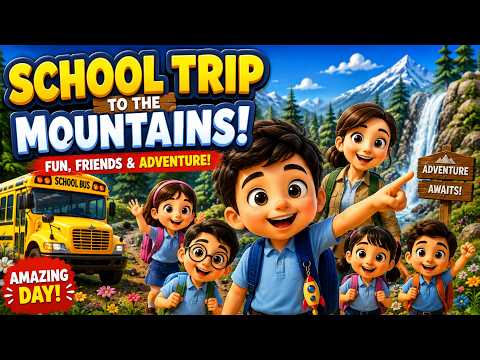
- Best for a viral start: School Trip to the Mountains
- Ask for character, image, video and sound prompts
- ChatGPT gives the main character, teacher and classmates
- Ask for the full story in 10 scenes, with movement
- Ask for character, image, video and sound prompts separately, all at once
- Change it to 8 scenes
- Ask in batches (1–4, then 5–8) so prompts don't come incomplete
- Character and same-theme prompt must come first — keep characters the same
- Scene list: bus journey, arrival at the mountain, forest walk…
- Google Flow — make the character image first
- Copy the full prompt and enter
- Ask ChatGPT to rewrite all prompts in cartoon style
- Upload your earlier image and ask for prompts in that same style
- Another chatbot can be better for image prompts (name unclear in audio)
- Compare the old and new prompts
- Pick the best image (school bus) as the start; video model already selected
- Paste the video prompt and sound prompt together — first clip
- Use the image as a reference for the next scene
- Check: the characters speak the lines given in the prompt
Tools used
ChatGPT (topic ideas, character/image/video/sound prompts, cartoon-style rewrite with image upload), Google Flow (images, reference images, image-to-video, video + sound prompt), video editor
Questions this lesson answers
How do I make a new video with characters I already made?
Keep the same characters and theme and ask ChatGPT for new topics - for kids: school life, science fair, farm visit, zoo or a mountain trip.
Why does ChatGPT give me incomplete prompts?
Ask for 4 scenes at a time (scenes 1-4, then 5-8) and ask for the character prompt first.
How do I get prompts in a cartoon style?
Upload one of your earlier images to ChatGPT and ask it to rewrite all image and video prompts in that same style.
How do I keep the characters and uniforms the same in every scene?
Use your earlier images as reference images in Google Flow - for scene images as well as for videos.
Google Flow shows an issue after I make many images. What do I do?
Wait a little, then make 1 image at a time instead of 4.
How do I add background music?
Add background music in the sound prompt and paste it with the video prompt.
How do I join the clips smoothly?
Put the clips in order and add a short zoom-in or zoom-out transition of about 1 second.
Do kids' cartoon videos need subtitles?
No - kids don't read subtitles, so you can skip them.
Watch before this: How to Make 3D Animated Mother and Baby Story Videos with AI
This lesson is part of the Free Earning Course — 109 video lessons in Urdu on Facebook, TikTok, niches and AI video. No fee, no card.
Start free → See all lessonsMore free AI Video lessons
- How to Make an AI Horror Story Series Step by Step43 min · Intermediate
- How to Make AI Bird Nest Documentary Videos30 min · Intermediate
- How to Make Long AI Story Videos in Urdu — Part 1: Story and Characters58 min · Advanced
- How to Make Long AI Story Videos in Urdu — Part 2: Fixing Scenes and Final Edit36 min · Advanced
- Long AI Story Videos — Part 3: Consistent Character Voices13 min · Advanced
- How to Make Long AI English Stories with Consistent Characters61 min · Advanced
Umair TikTok Wala is an independent education provider and is not affiliated with Meta, TikTok, Google or OpenAI. Platform rules change; always check the official terms.